Introducing Veryfront Studio



Table of Contents
AI workspace for agent work
Veryfront Studio is a browser workspace where citizen developers create agents, add skills, connect knowledge and tools, and put agents to work.
Studio integrates with Veryfront Code, so citizen developers and pro-coders work on the same source-backed project instead of passing context between tools.
This walkthrough creates and automates a customer operations agent. You can also skip ahead and start from the Customer Operations Agent template.
Create project
Open Veryfront Studio. Create a new project named Customer Operations Agent.
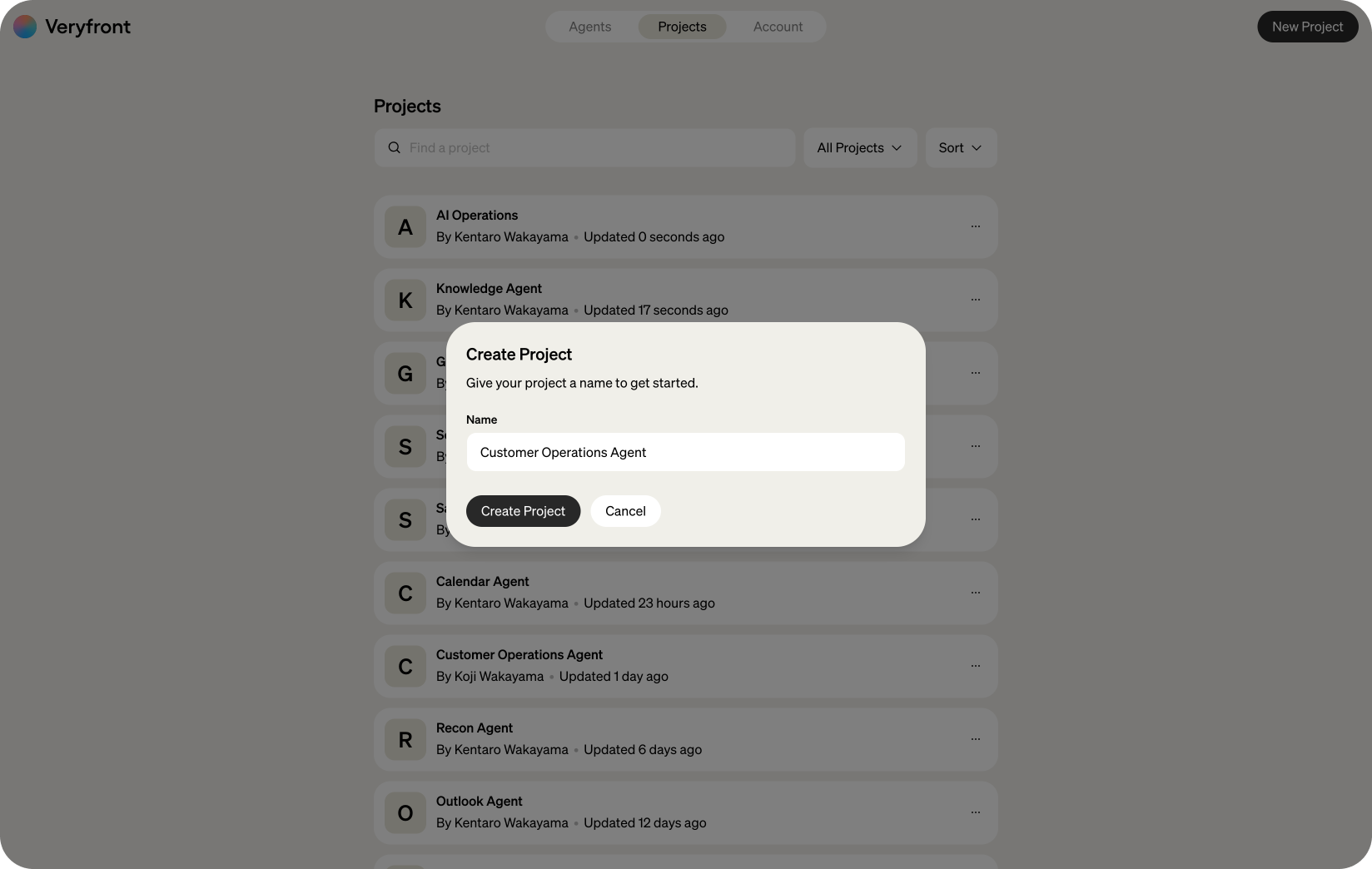
Workspace overview
Once the project opens, you see a list of AI capabilities to manage your project.
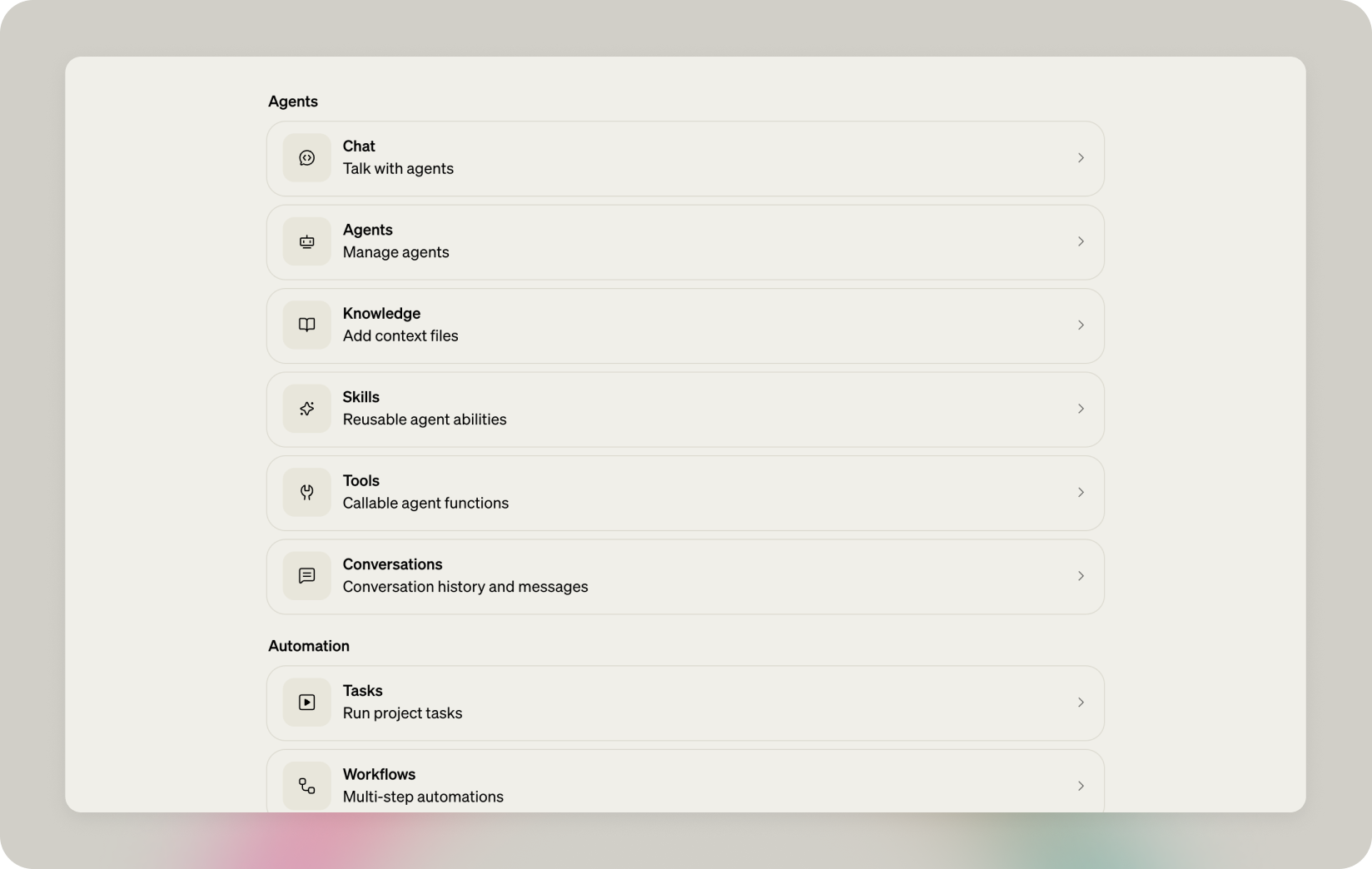
Click Agents to open the Agents panel.
Create agent
On the Agents panel, create a new agent.
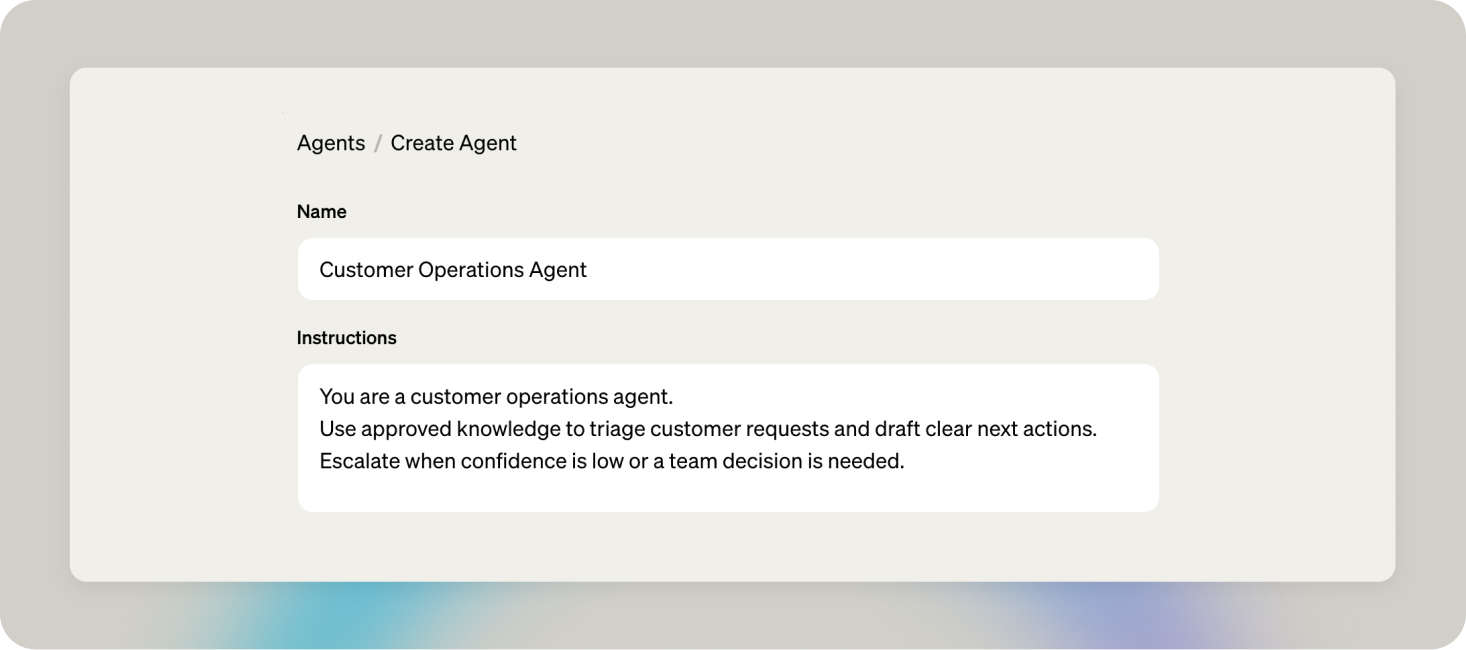
Give it a name, e.g. Customer Operations Agent.
Define the agent persona and role.
You are a customer operations agent.Use approved knowledge to triage customer requests and draft clear next actions.Escalate when confidence is low or a team decision is needed.Model configuration
Veryfront lets you choose frontier models from Anthropic and OpenAI, plus open-weight models such as Mistral and Kimi.
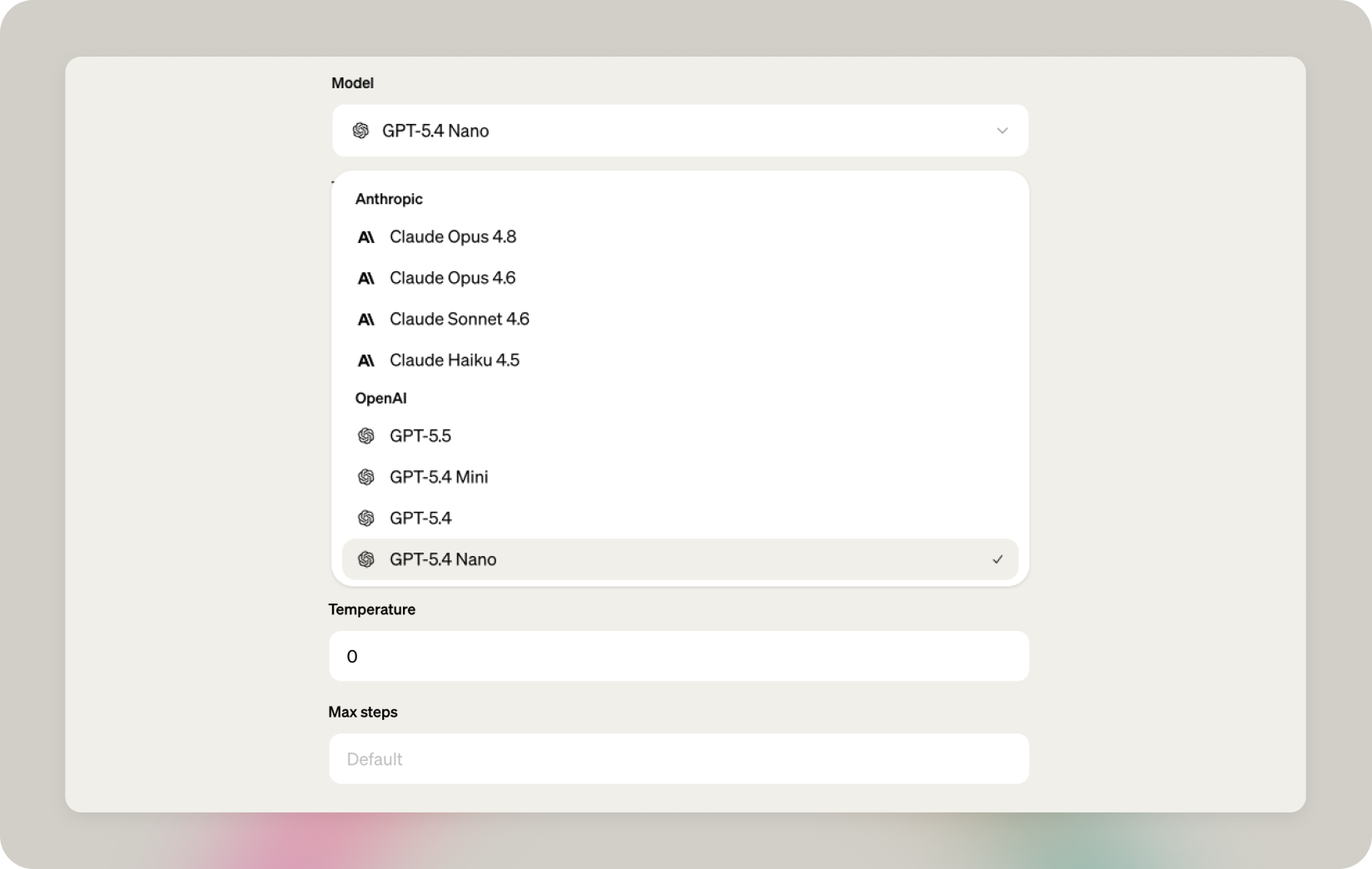
For the customer operations agent, keep gpt-5.4-nano, temperature 0, and set max steps to 8.
Suggestions
Suggestions are prompt shortcuts users can click in the chat.
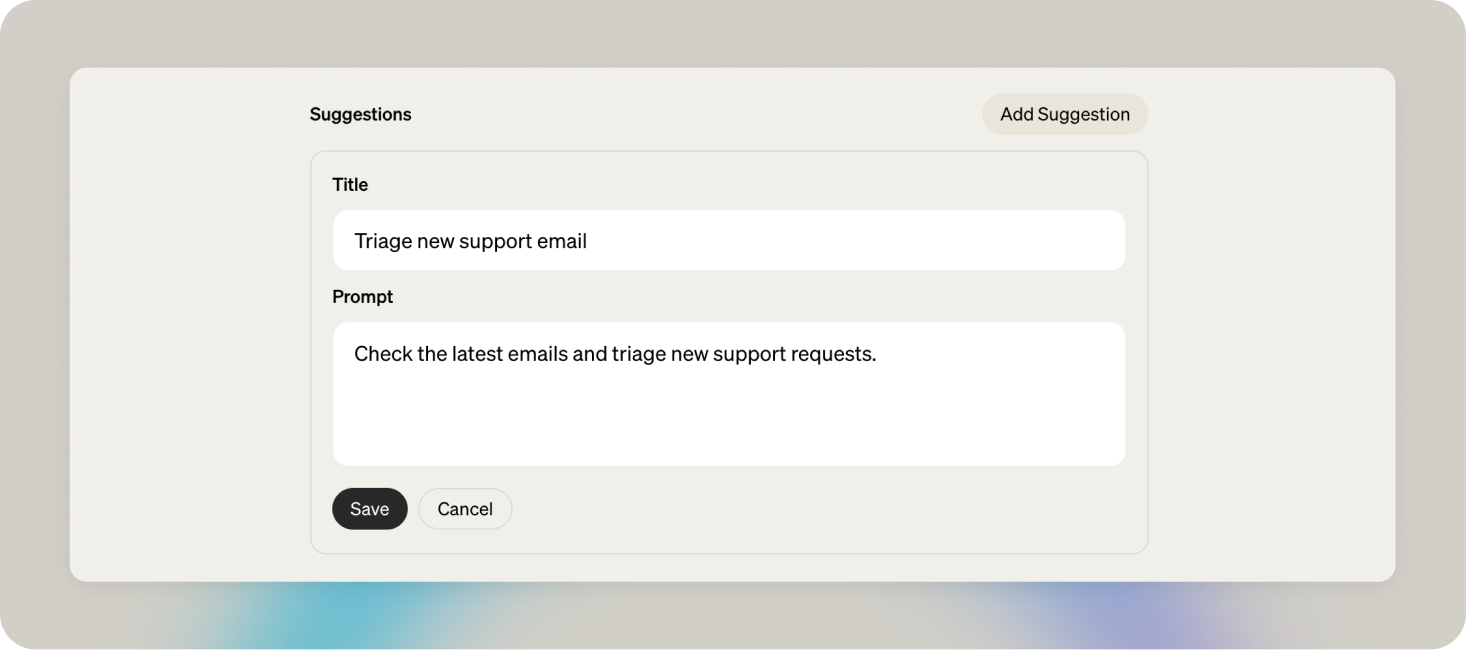
Set a welcome message, What customer issue should we triage?, and add three prompt suggestions:
Triage login issue—Triage a customer who cannot sign in after a release.Summarize billing escalation—Summarize the next action for a billing escalation.Draft escalation update—Draft an escalation update from the support handbook.
Add skill
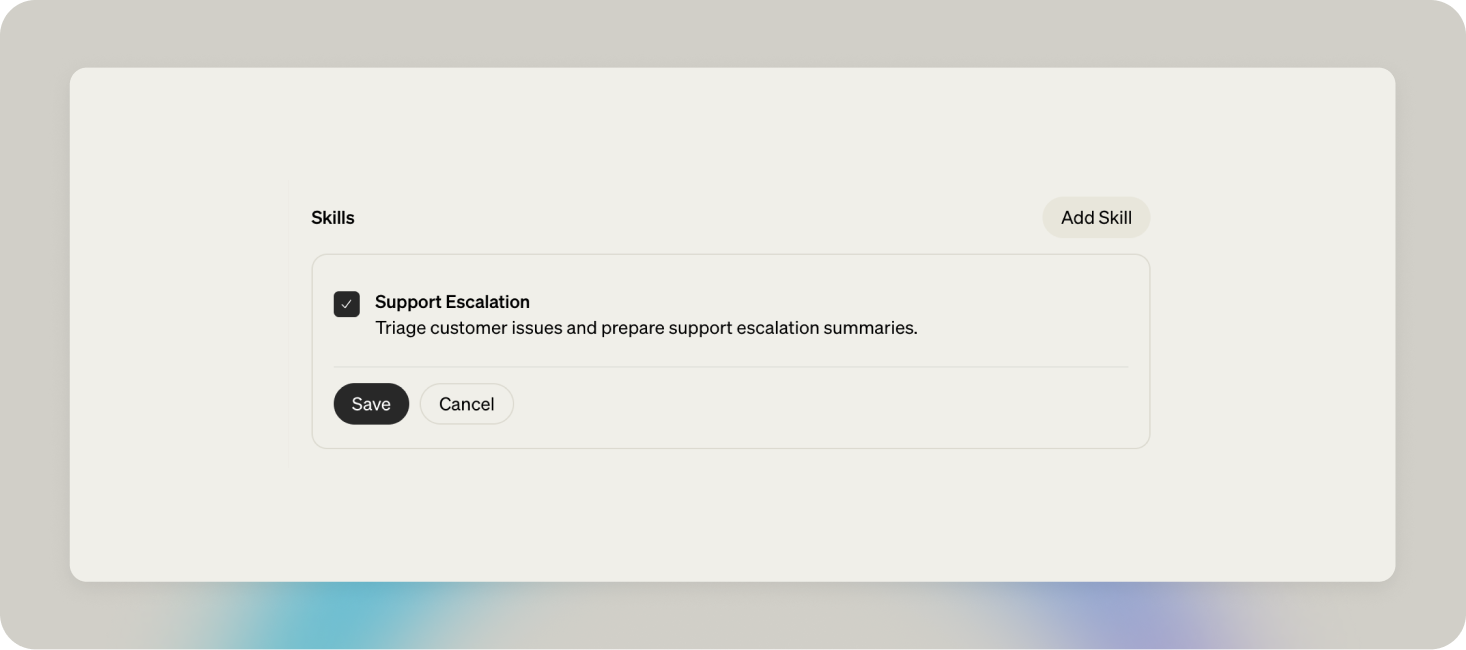
Skills are reusable behavior instructions you can attach to an agent for a specific task. In the create agent form, click Add Skill. This opens the Skills panel, where you can create a skill with specific escalation instructions.
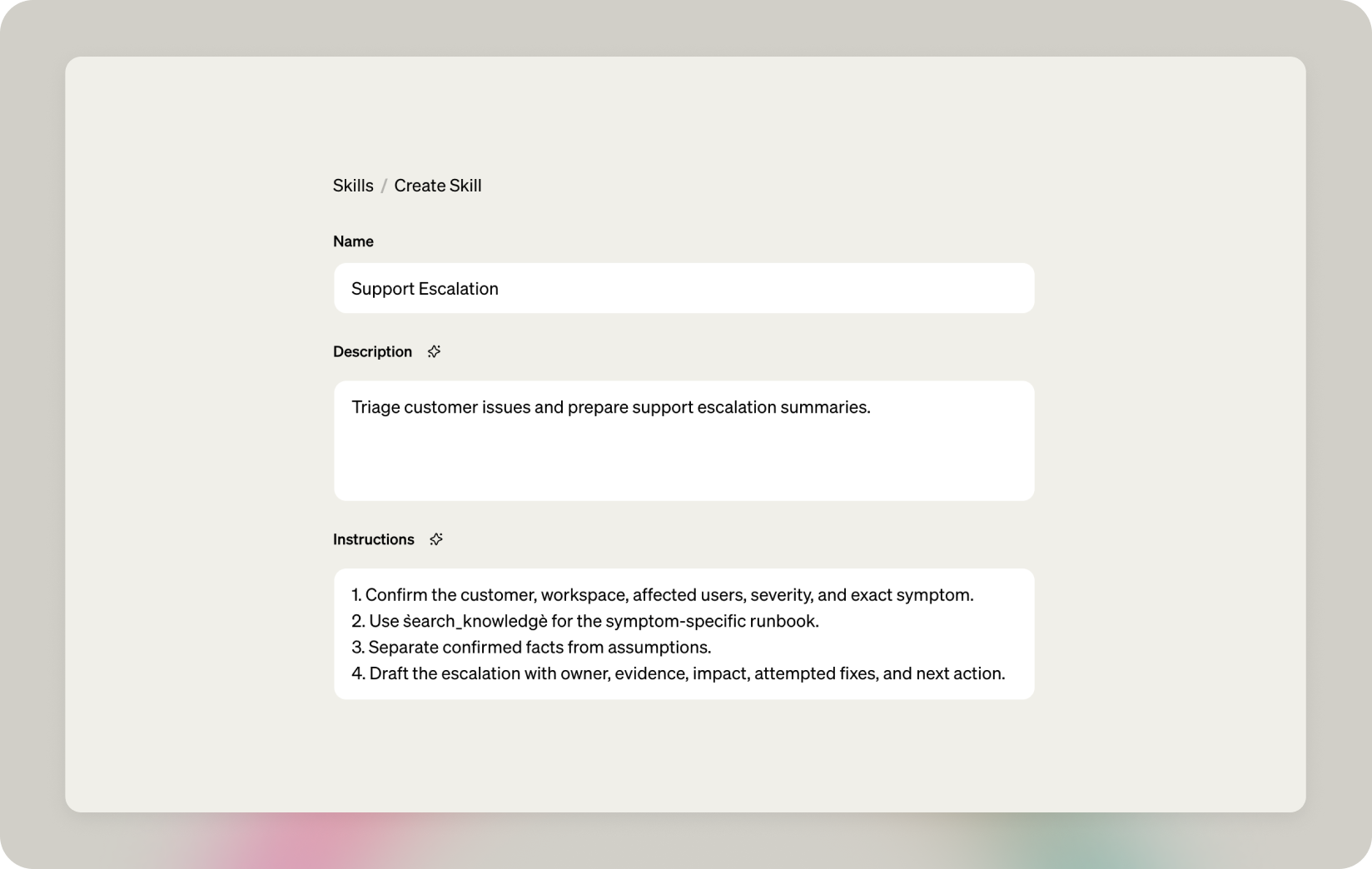
Give it a name, e.g. Support Escalation, and add a description:
Triage customer issues and prepare support escalation summaries.Add these instructions:
1. Confirm the customer, workspace, affected users, severity, and exact symptom.2. Use `search_knowledge` for the symptom-specific runbook.3. Separate confirmed facts from assumptions.4. Draft the escalation with owner, evidence, impact, attempted fixes, and next action.After creating the skill, return to the agent details and add the Support Escalation skill to the customer operations agent.
Connect tools
Scroll to the Tools section.
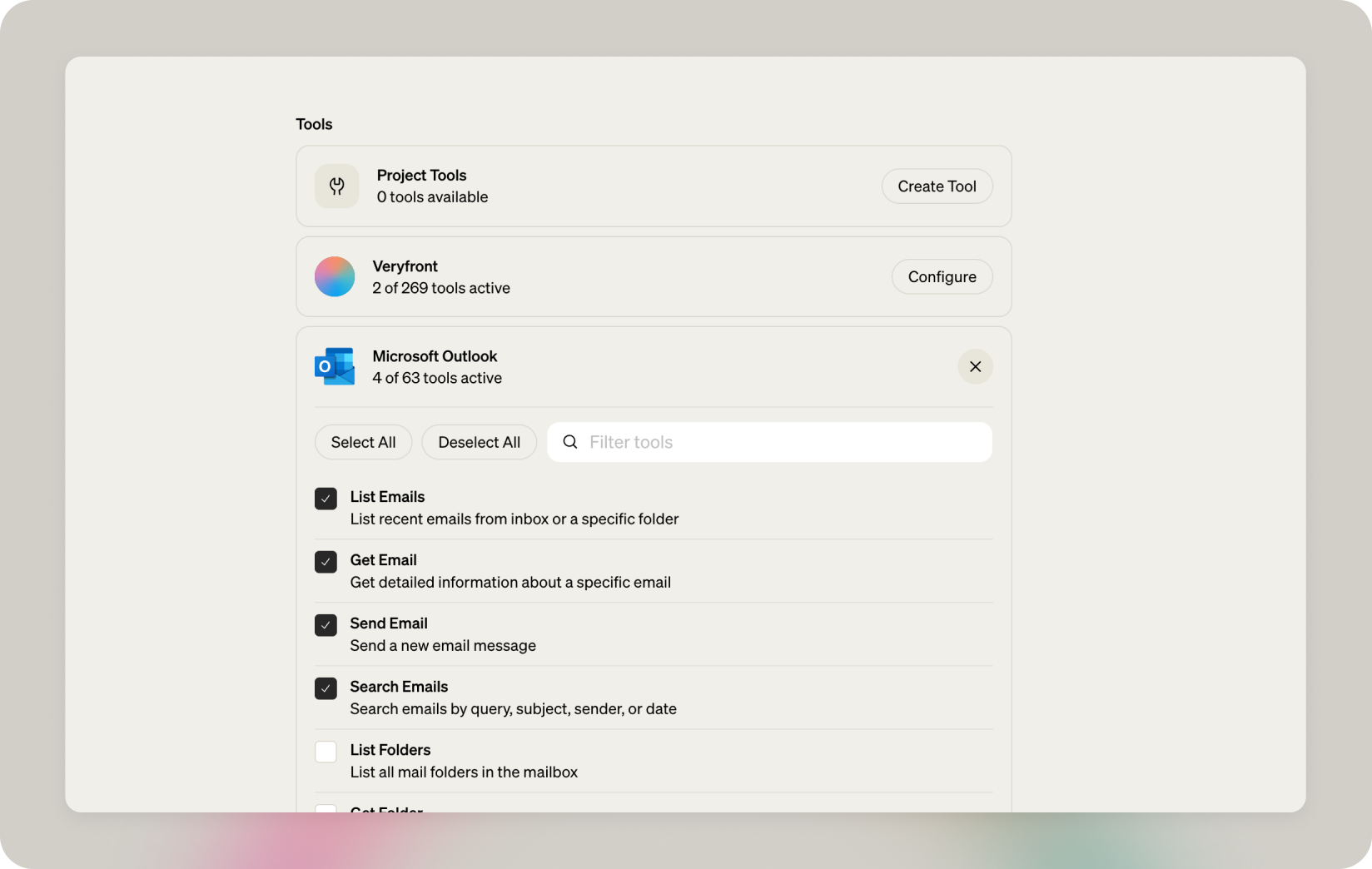
Configure the Veryfront integration by selecting the Search knowledge and Get file tools. Then configure Microsoft Outlook by selecting List emails, Get email, Send email, and Search emails.
Add ground truth
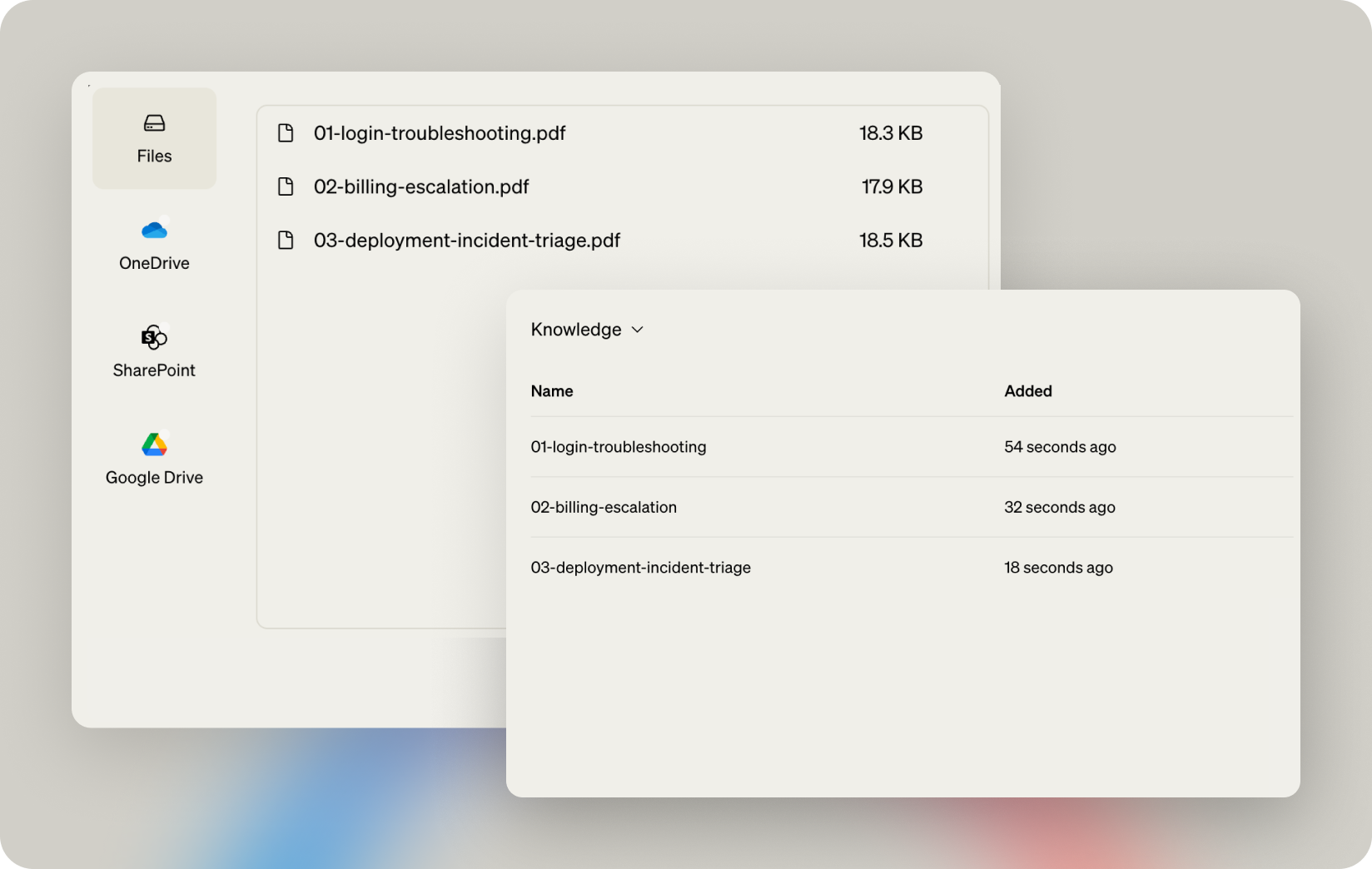
Download the example runbooks to add knowledge that grounds the agent's behavior:
Open the Knowledge panel and upload them. Veryfront converts the documents to OKF and ingests them into your knowledge base.
Test your agent
Open the Chat panel, select the Customer Operations Agent, and send this prompt:
Check the latest emails and triage new support requests.
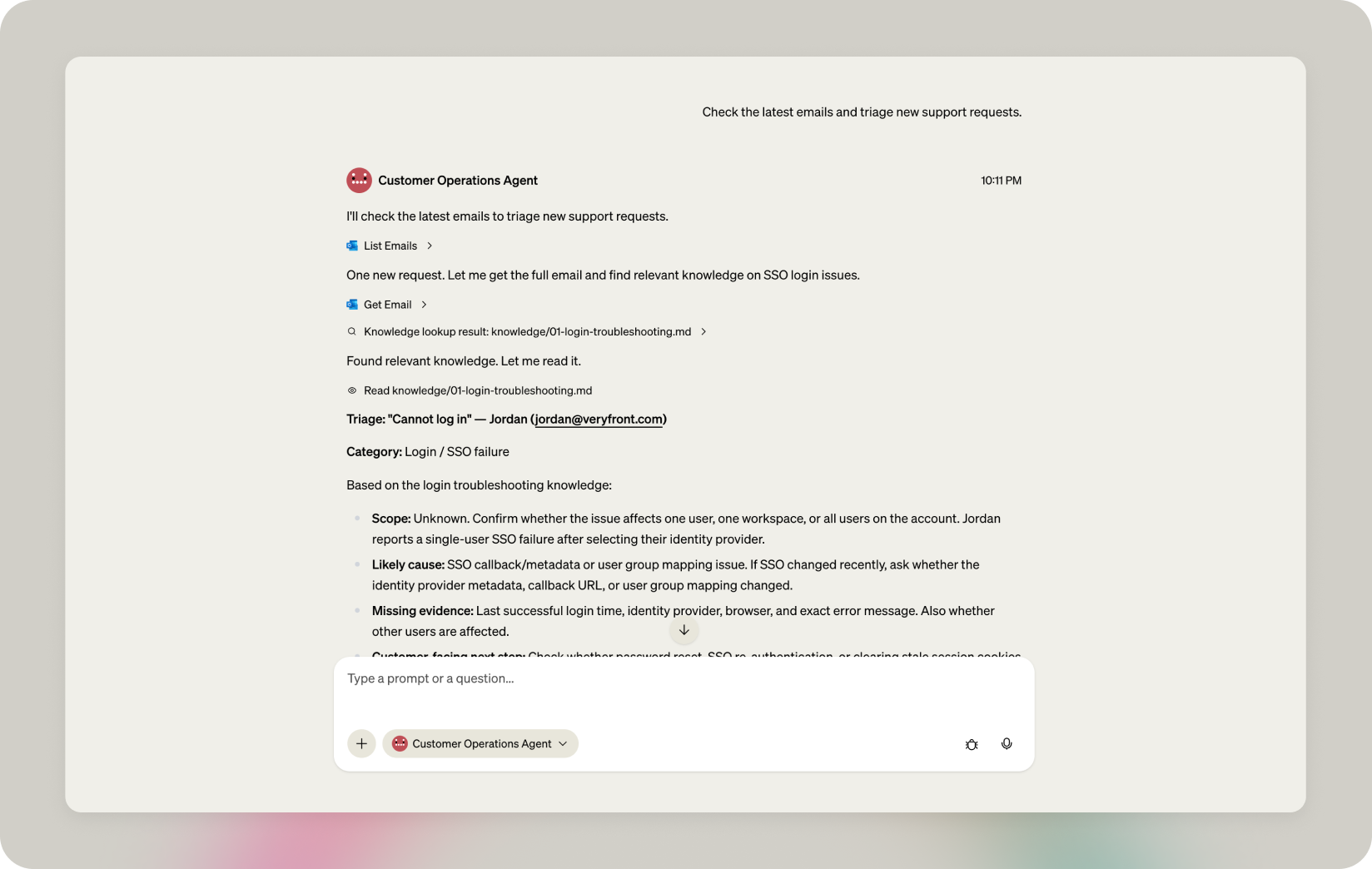
Check the result. The agent should use Outlook tools to fetch the inbox, triage the support request, and use project knowledge.
Automate recurring work
Open the Schedules panel and create a new schedule.
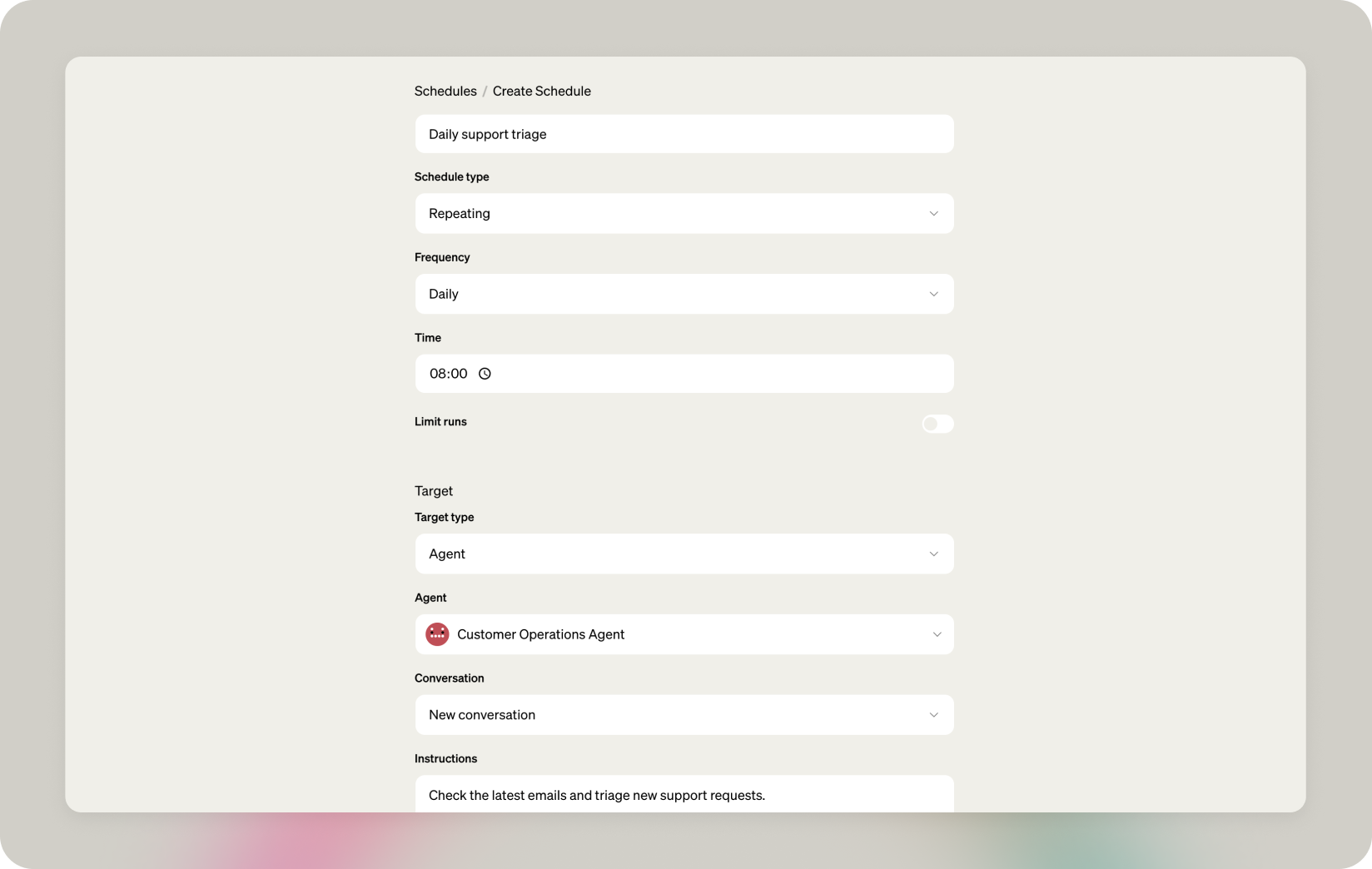
Name it Daily support triage and set it to repeat daily at 08:00. Set the target type to Agent, choose Customer Operations Agent, and set conversation to New conversation. Add this prompt: Check the latest emails and triage new support requests. This creates a fresh daily triage run every morning.
What this unlocks
Veryfront Studio is the AI workspace where citizen developers and pro-coders create, operate, and scale agents together. Teams configure, test, inspect, and deploy agents from one source-backed project, so they can focus on putting agents to work instead of stitching together fragmented AI tools.
Get started
- Fork the project on GitHub — follow the README to get started.
- Use the template in Studio — create a new project.
Pro coders
Fork the repo on GitHub and run it locally with the open source Veryfront Code framework.
Citizen developers
Start in Veryfront Studio: fork the template in the browser, connect your tools, and turn on the schedule. No local setup.