Bring back a project you deleted, from the Projects list's Recently deleted. It stays there for 30 days.
Before you start
You need a project you own, deleted in Studio less than 30 days ago. See Delete a project.
Restore a project
-
Open Projects.
-
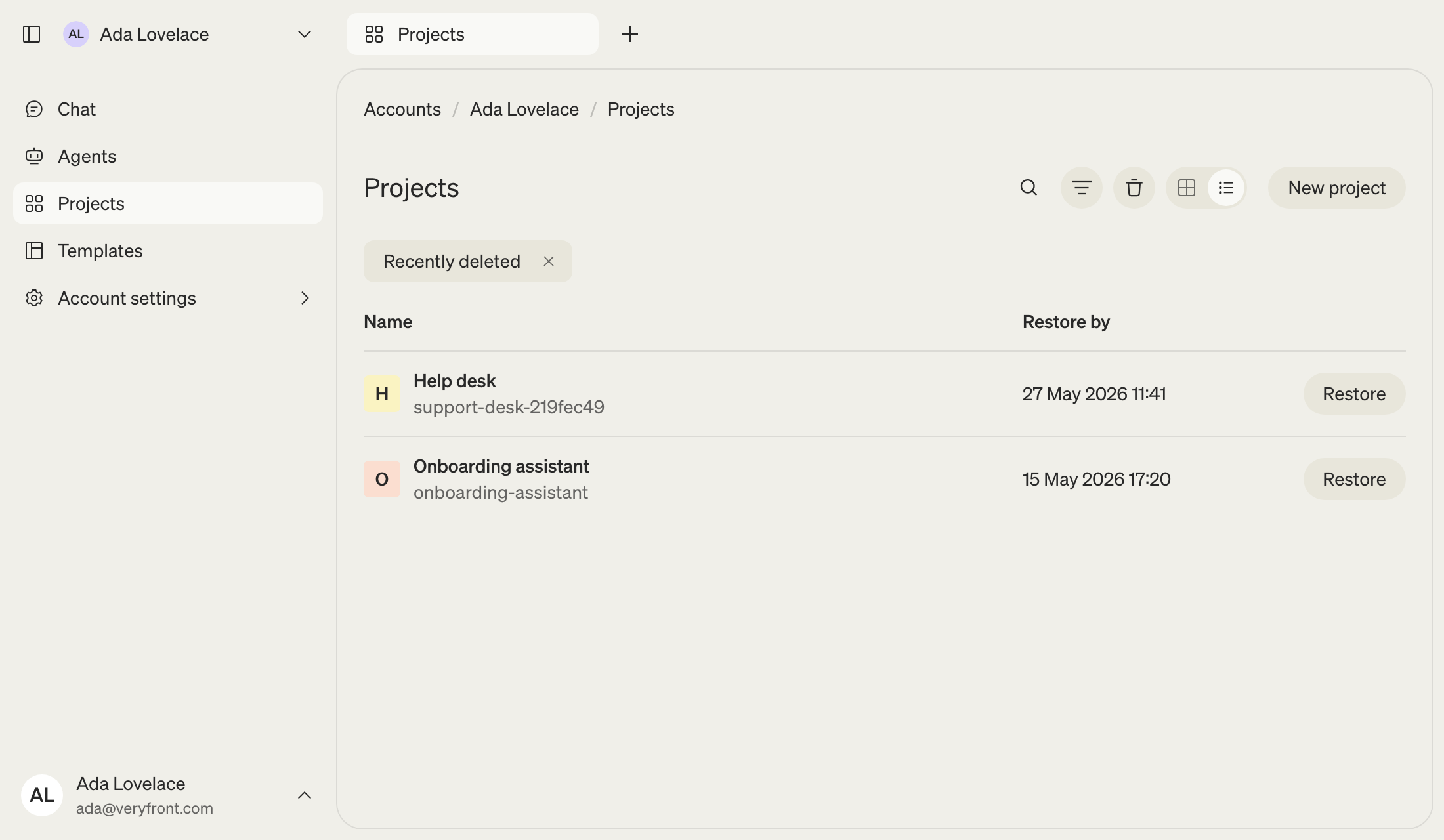
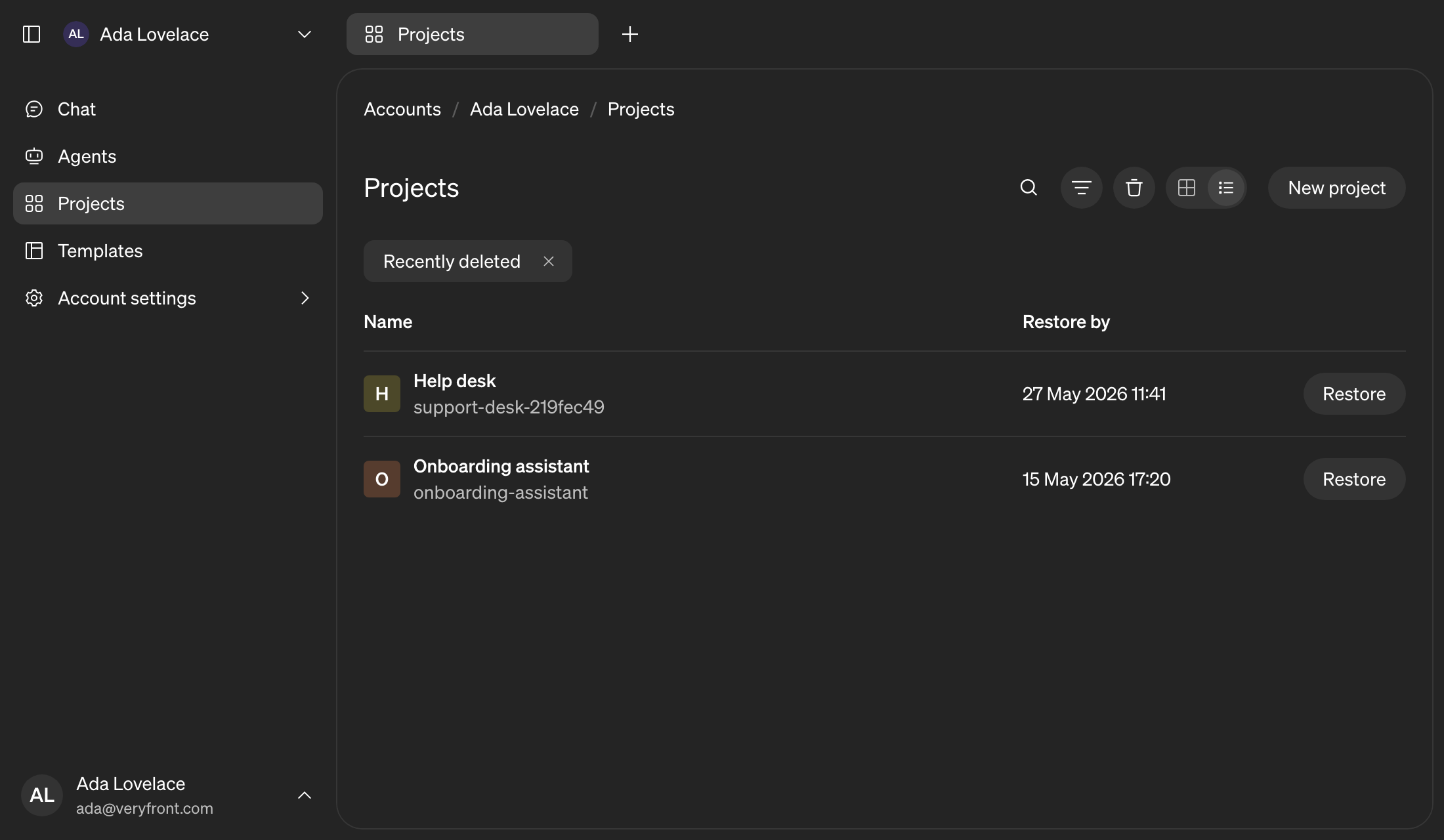
Click Recently deleted, the trash button beside the filters. You should now see your deleted projects, each with its Restore by date.
-
Click Restore on the project's row. You should now see "Project restored", and the project leaves the list.
-
Click Recently deleted again. You should now see the project back in Projects.
Restoring brings the project back as it was. Its schedules don't start again on their own.
Troubleshooting
If the project isn't under Recently deleted, it was deleted more than 30 days ago, someone else owns it, or it was deleted over the API, which doesn't keep it.